Product / Native branching

A tangent deserves
its own space.

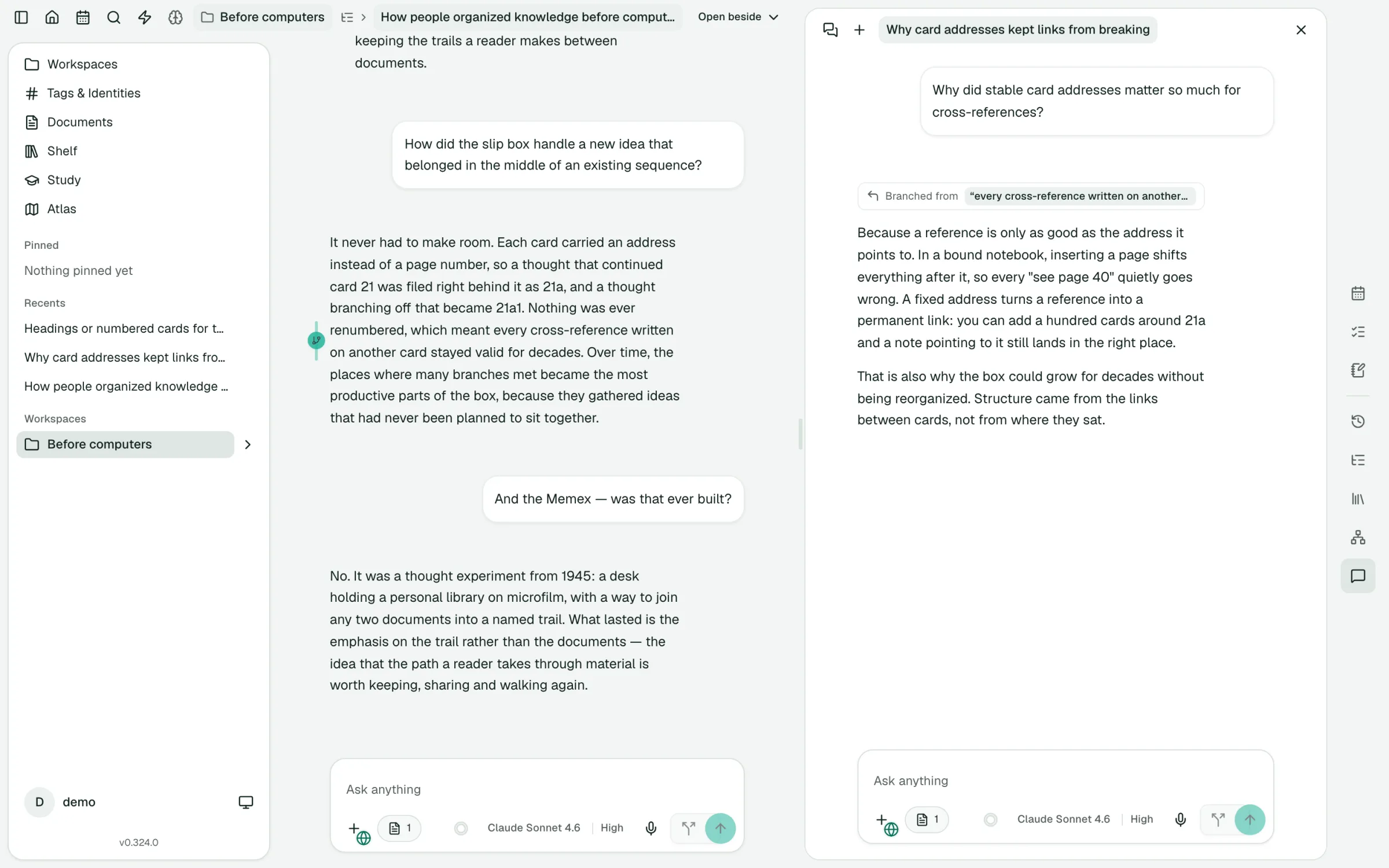
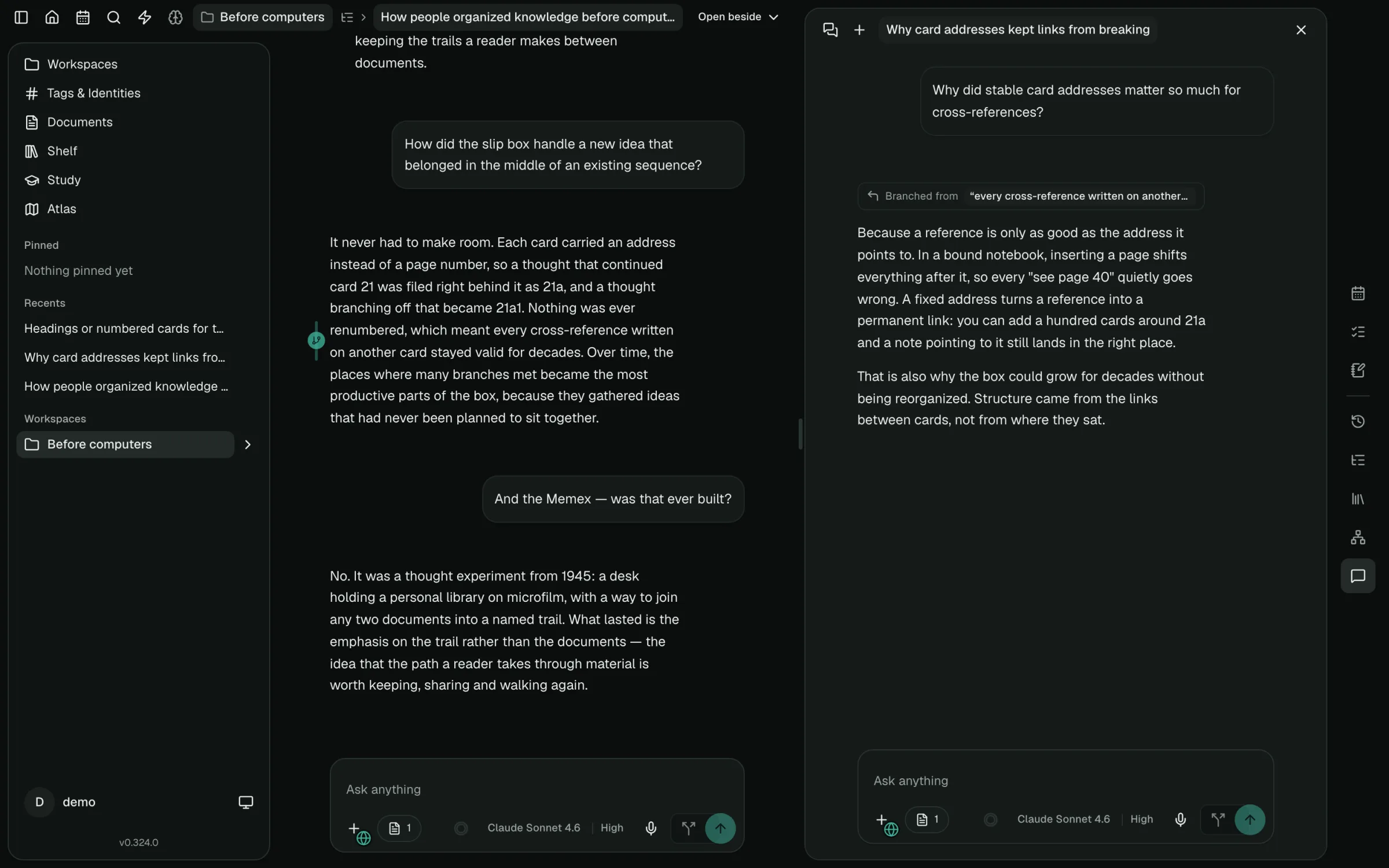
Branching is first-class in SideQuestly: a dedicated side conversation, a tree of related threads, and a gutter marker in the original chat. Hover the marker to highlight the exact passage; click it to reopen the branch.

Try native branching
SideQuestly showing a research chat about how people organized knowledge before computers, with a branch opened from one of its sentences beside itSideQuestly showing a research chat about how people organized knowledge before computers, with a branch opened from one of its sentences beside it

A real SideQuestly conversation: explore a sentence beside its parent chat.

Dedicated UI, from the first tangent

Follow the thread.
Keep your place.

  1. 01

    Start exactly where the idea starts

    Select a sentence or passage in an answer, or branch from a whole message. The branch begins from that point in the conversation.

  2. 02

    Explore beside the original

    The branch opens in a dedicated side conversation. Keep the parent in view while you ask a follow-up, test an assumption, or take a different angle.

  3. 03

    See where you branched

    The original chat keeps a gutter marker beside the source passage. Hover it to highlight the text, or click it to reopen the branch. With Always highlight marked text enabled, the highlight stays visible as you read. Branches also stay nested in the navigation tree.

Test a business assumption without derailing your plan. Unpack an unfamiliar concept while you learn. Follow a footnote while you read. Give the tangent room, then bring your understanding back.

Your mind is a tree, not a waterfall.

An interesting idea shouldn’t cost you your place. Branch from a sentence, explore beside your original conversation, and return when you’re ready.

Native branching · first-class UI

Branch from a sentence, not just a message.

Something in an answer catches your eye. Select it and follow that thread in its own conversation, right beside the one you’re in.

  • Branch from any selection or any message
  • Branches stay nested in a tree next to the original chat
  • A gutter marker stays beside the passage you branched from
  • Hover to highlight the source text; click to reopen the branch
  • Jump back to the exact passage a branch started from

In most AI chats, a branch is a copy of the whole conversation, filed away as one more chat.

Explore native branching →

Start with one question. See where it branches.

Free to start, and it runs right in your browser.